

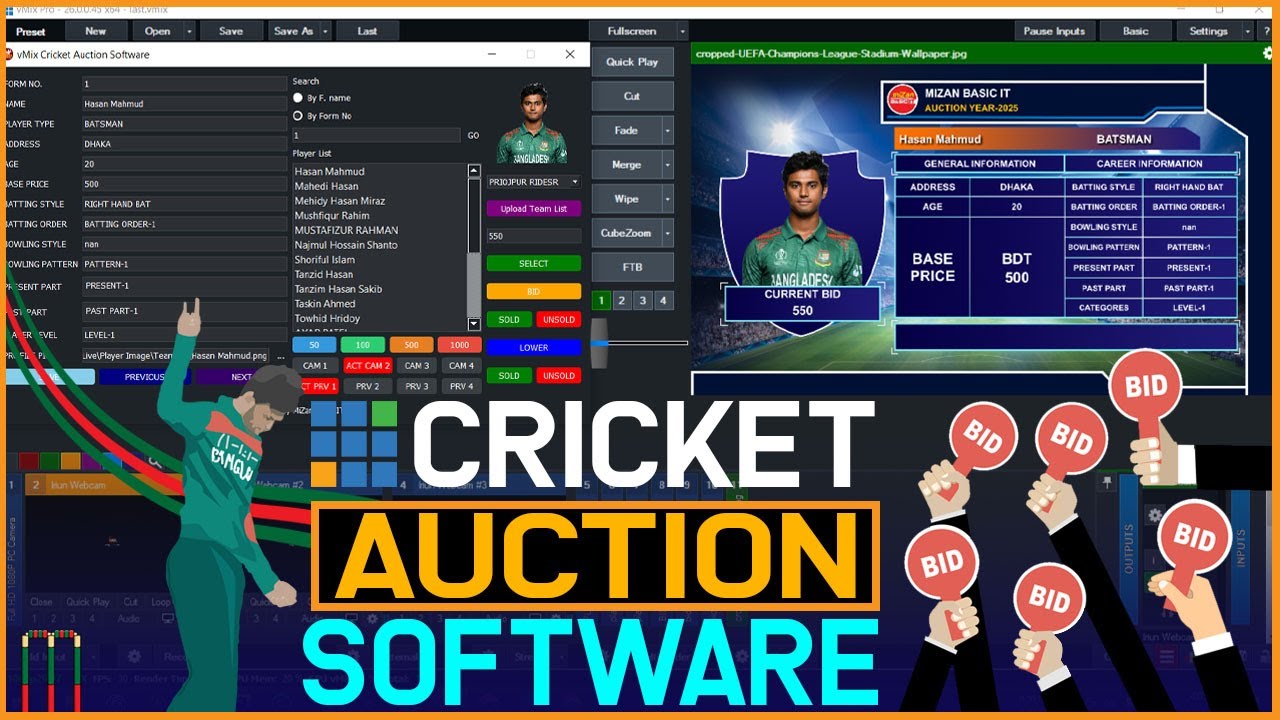
If you’ve ever sat through an IPL auction and thought, “This would be complete chaos in our colony league,” you’re probably right. A proper auction sounds exciting until someone loses track of the purse balance, two captains shout bids at the same time, and the player list disappears somewhere inside a WhatsApp group.
That’s exactly why more organisers now prefer using cricket auction software instead of spreadsheets and handwritten notes. It saves time, keeps the bidding organised, and honestly makes even a small local tournament feel far more professional.
And the best part is, you don’t need a developer or an expensive event company to make it happen anymore.
What Is an IPL-Style Player Auction, And Why Your League Needs One
An IPL-style auction gives every team a fixed purse and lets captains bid for players live. The highest bidder gets the player. The remaining balance updates automatically after every purchase.
Simple format. Huge difference in energy.
The moment bidding starts, people get involved properly. Captains suddenly care about squad combinations, players wait nervously to see who bids for them, and even spectators start treating the auction like match day entertainment.
Offline auctions usually become messy very quickly. Purse calculations go wrong, sold players accidentally come up twice, and organisers spend half the evening resolving arguments instead of actually hosting the event.
A proper IPL-style auction platform quietly removes most of that stress. Purse balances update in real time, sold players move directly into squads, and unsold players stay organised automatically without anyone manually updating sheets after every bid.
Setting Up Your Auction In 5 Steps (No Tech Skills Required)
Most first-time organisers assume that setting up an online cricket player auction will take days. In reality, it’s surprisingly quick.
Here’s the basic flow:
- Upload your player list through a spreadsheet or CSV file
- Allow self-player registration through an online form
- Add players manually whenever required
- Create teams and assign purse limits for each captain
- Share access links so captains can join directly from their phones
- Start the live auction and control nominations from the host panel
- Export final squads automatically once bidding ends
That’s genuinely most of the work done.
Platforms like CricSmart Auction also use real-time WebSocket bidding, so every bid appears instantly across devices without awkward refresh delays. It sounds like a small thing until you experience a laggy auction once. Momentum disappears very fast when captains keep asking, “Bid gaya kya?”
Another useful part is that captains don’t need technical knowledge either. If they can use WhatsApp, they can probably use the auction dashboard.
Managing Team Purses And Unsold Players In Real Time
This is where offline auctions usually fall apart.
Someone miscalculates a purse. An unsold player gets skipped accidentally. Teams start questioning remaining balances halfway through the auction. Suddenly, the room turns into an accounting discussion instead of a cricket event.
A good local league auction tool handles all of this automatically. Team balances update live after every winning bid, while unsold players move into a separate pool for later rounds. It keeps the auction moving quickly without constant interruptions.
And honestly, the live purse tracking changes bidding behaviour too. Captains become much smarter once they can actually see budgets shrinking in real time.
Using The Post-Auction Trading Window To Balance Squads
Every auction creates at least one unbalanced squad.
Somebody ends up with too many batters. Another team forgets to buy a spinner. One captain panic-bids on three wicketkeepers because everyone else suddenly started bidding too.
That’s where the post-auction trading window becomes useful.
Teams can negotiate swaps after the auction closes, while the platform continues to track purse rules and squad limits in the background. It adds another layer of strategy without turning the process into extra work for organisers.
And usually, this is where the funniest negotiations happen.
Streaming Your Auction Live On YouTube — No Production Crew Needed
You don’t need expensive cameras or a professional production setup anymore. A simple OBS Studio connection and a clean auction dashboard are enough to stream your auction live on YouTube.
People genuinely enjoy watching auctions unfold, especially when local rivalries and surprise bids start heating up. A smooth cricket auction live bidding setup makes even a small neighbourhood league feel properly organised.
That’s really why more organisers are switching to digital cricket auction platforms now. They remove the stressful parts without removing the excitement. You still get the competitive atmosphere, the bidding wars, and the drama, just without the confusion that usually comes with running auctions manually.
If you’re planning your first auction this season, CricSmart Auction is worth checking out for managing bidding, purse tracking, player registrations, post-auction trades, and live streaming in one place.